How Texas Property Tax Calculations Work
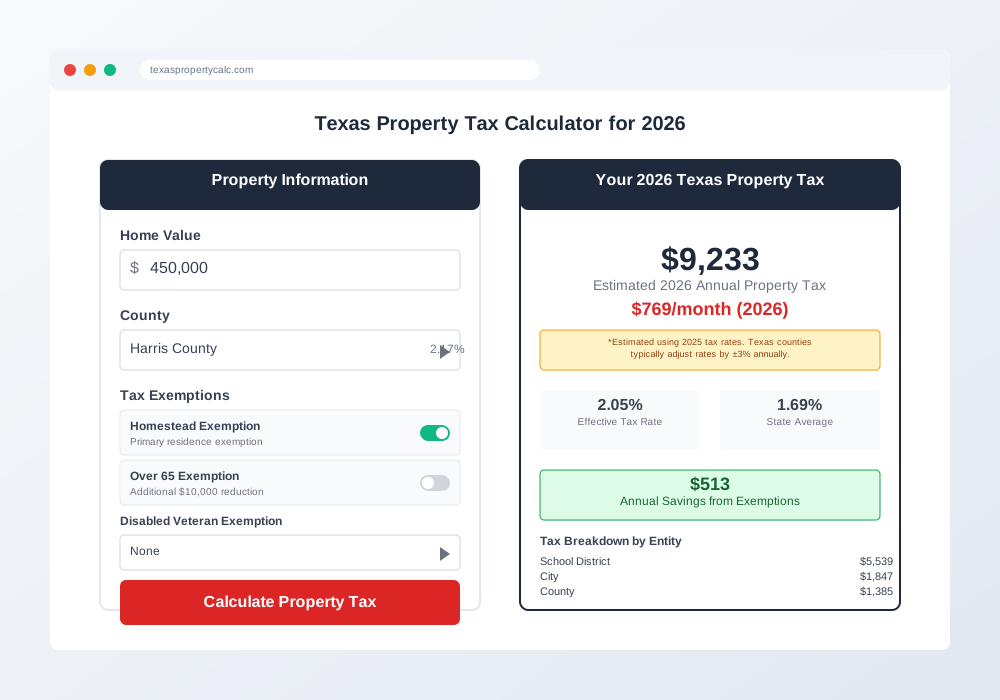
Enter Your Property Value
Start with your home's current market value. In Texas, assessed value is typically set at market value each year, but you should check your most recent appraisal notice to be sure.
Select Your Texas County
Each county in Texas has different tax rates. We use the official rates published by each county's appraisal district.
Apply Texas Exemptions
Select any exemptions you qualify for, such as homestead, over-65, or veteran exemptions. These reduce your taxable value.
Get Your Estimate
We calculate your annual and monthly property tax based on current rates and show you exactly how much you could save with exemptions.
Understanding the Calculation
Your property tax is calculated using this formula:
Property Tax = (Property Value - Exemptions) × Tax RateThe tax rate includes several components: county general fund, school district, city (if applicable), and special districts like hospitals or community colleges.
Data Sources
We gather tax rates directly from official county sources and update them annually when new rates are adopted. This ensures you're getting the most accurate estimates possible.
Why Use Our Calculator?
Always Current
Updated annually with the latest official tax rates from all Texas counties.
Complete Privacy
All calculations happen in your browser. We don't store or track your property information.
Comprehensive Exemptions
Includes all major exemptions available in Texas to give you accurate savings estimates.
Mobile Friendly
Works perfectly on all devices so you can calculate taxes anywhere, anytime.